

 Blog Overview
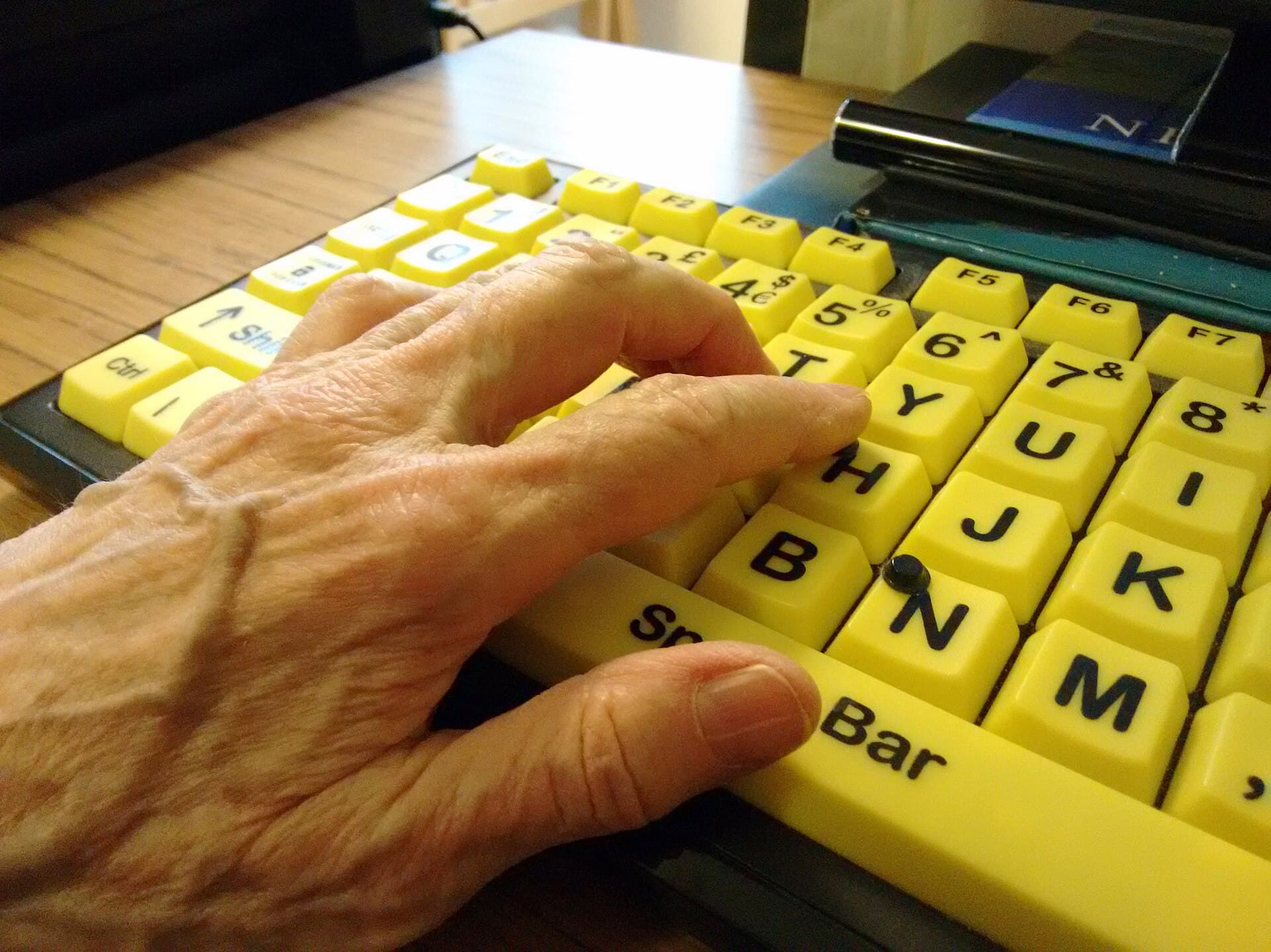
WCAG 2.2 added nine criteria in October 2023. This article explains the five that actually change Arabic websites, how to test them before handover, and how to write them into the contract.
When a client says “our website is not accessible to everyone”, they usually do not mean one thing. They mean the keyboard cannot reach the menu, the screen reader reads icons without meaning, the registration form asks for the same data twice, and a sticky bar covers the field you are trying to fill. These are not wishes; they are testable criteria.
WCAG 2.2 was published as a W3C Recommendation on 5 October 2023 and added nine success criteria to WCAG 2.1. Some are required for any project targeting level AA, and some improve the experience without being a condition. This article explains the criteria that actually change the build on Arabic websites, how to test them before handover, and how to write them into the contract so they do not remain a slogan.
The five criteria that change the build
Of the nine new criteria, five appear in most projects we review. They are not the hardest, but they are the most connected to interfaces built quickly: tight menus, small arrows, sticky bars, long forms, and login with a one-time code.
| Criterion | What it requires | Where it usually breaks in Arabic |
|---|---|---|
| 2.5.8 Target Size (AA) | A pointer target of at least 24×24 CSS px, or spacing that keeps 24 px circles from intersecting | Tight menu icons, carousel arrows, small mobile buttons |
| 2.5.7 Dragging Movements (AA) | Every drag has a single-pointer alternative | Image carousels, calendar maps, drag-to-reorder lists |
| 3.3.7 Redundant Entry (A) | Do not ask for the same information twice in one process | Registration, checkout and address forms in Arabic and English |
| 3.3.8 Accessible Authentication (AA) | No cognitive function test at login without an alternative, a mechanism, or object recognition | One-time codes, security questions, copying a code from a message |
| 2.4.11 Focus Not Obscured (AA) | A focused component is not entirely hidden by author content | Sticky navigation, chat windows, ads covering a field |
The other four criteria include enhanced focus and authentication requirements and a consistency rule for help. You do not need to memorise them all; you need to know that the full list is published by the W3C, and that your project must define its target level: A, AA or AAA. Mixing levels is why handover arguments happen.
Why Arabic exposes the problems faster
An Arabic interface is denser in some components and looser in others. Dropdowns may need more room, text may wrap to two lines where English took one, and mixed numbers may change a field's direction. When space is tight, pointer targets get smaller, and focus becomes easier to hide behind a sticky bar.
A screen reader adds another layer. An icon without alternative text is read as something meaningless, and the visual order in RTL may not match the DOM order, so the reader announces content in a different order from what the user sees. Testing with a screen reader set to Arabic is not a luxury; it is the only way to know what the user hears.
Direction itself is not an alignment switch. Material 3 explains that RTL reverses order and alignment, and components must be designed for both directions rather than flipped afterwards. That applies to focus too: the ring position, the Tab direction, and the placement of error messages. All are tested in both versions, not only English.
How to test without a lab
You do not need a lab to know the site does not work by keyboard. Start with three short sessions: keyboard only, screen reader, and 200% zoom on mobile. In each session, try to complete one task: register, search, or finish an order. Record where you got stuck, and do not fix during the session.
From reading to shipping
Want this built, not just explained?
Bring us the problem behind the article. We will tell you what it takes, what it costs, and whether we are the right team.
The keyboard test reveals most focus problems: can you reach every link and button, can you see where you are, can you leave a modal, and does focus stay behind the sticky bar. The screen reader test reveals names, order and messages. The zoom test reveals clipped text and small targets. Three tests, an hour each, give you a real work list.
The pre-handover checklist
Use this list in acceptance review. Every line is testable and does not need an opinion.
Keyboard: every function is reachable with Tab alone, and focus order is logical.
Visible focus: a clear ring, not covered by a bar, modal or ad.
Pointer targets: at least 24×24 CSS px, or enough spacing between targets.
Dragging: every carousel or draggable list has a click or button alternative.
Entry: do not ask for the same data twice in registration or checkout.
Login: a one-time code can be pasted, and there is an alternative that does not rely on memory.
Names: every icon and field has a readable name, and alt text describes the function.
Errors: a clear message beside the field, not colour alone.
Language: correct
langanddir, tested with an Arabic screen reader.
The order of remediation
Do not start with cosmetic fixes. Start with what blocks the task: keyboard, focus, names, error messages. Then small targets, then drag alternatives, then authentication. Each layer builds on the one before; fixing button size before focus is like painting a door that does not open.
Put acceptance criteria in the contract: the target WCAG level, the tools, the devices, the languages, and who signs off the test. “An accessible site” is not a measurable phrase. “WCAG 2.2 AA, tested by keyboard and an Arabic screen reader on a real phone” is a phrase that can be accepted or rejected. A two-week UX audit explains how we connect these checks to the design decision.
Frequently asked questions
Is WCAG 2.2 law in Saudi Arabia? It is an international standard, not a law by itself. But it is requested in much government and enterprise procurement, and becomes binding when written into a contract. Ask your client which level is required.
Is AA enough? It is the most common level in procurement. If the contract asks for AAA, cost and scope change. Set the level before design.
Do we need a rebuild? Not necessarily. Many issues are fixed in HTML, focus and forms. But if the foundation has no semantics, a rebuild may be cheaper than patching.
How long does an audit take? It depends on templates and flows. We start with critical tasks, not every page. What matters is an actionable list, not a report.
Do you test in Arabic? Yes, with a screen reader set to Arabic, on a real phone. Testing in English alone does not reveal RTL and order problems.
Can you fix what you find? Yes, and we tie the fix to acceptance criteria so it does not return in the next release.
Sources
- W3C WAI: What's New in WCAG 2.2 — the nine new criteria, including 2.5.8, 2.5.7, 3.3.7, 3.3.8 and 2.4.11.
- W3C WAI: WCAG — levels A, AA and AAA, and the full text.
- UI/UX design and research — how we build access into design and testing.
- Rasad's published price bands — the figures this article works from.
Cover image: Francisclarke, CC BY-SA 4.0, via Wikimedia Commons.
